
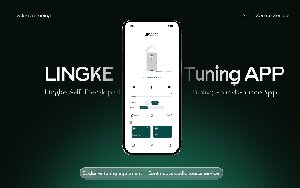
1.1 Depending on your phone system, go to the corresponding app store, search "Lingke Audio" and download:
2.1 Open the APP to enter the welcome page (brand LOGO fades in).
2.2 On the device selection page, swipe up/down to find your Lingke speaker and tap it.
2.3 On the connection prompt page, wait for the rotating "connecting" indicator to finish.
2.4 Once connected, the device control main page opens and you are ready to go.
Current speaker firmware: V1.0.30
3.1 Download GAIA Client software
3.2 Download the .bin file
Download the Firmware .bin File
Click to DownloadAfter downloading, save the file to your phone and remember where it is saved.
3.3 Complete the upgrade
4.1 After the firmware update completes and the speaker restarts, please quit GAIA Client and open Lingke Audio APP.
4.2 Follow Step 2 to select the device and connect again.
4.3 Once connected, proceed to Section 5 (Daily Use).
Once connected, you can do the following on the device control main page:
5.1 Basic control: volume (32 levels), previous/next track, play/pause, sleep timer (the speaker powers off automatically when the timer ends).
5.2 Sound adjustment (enable the settings switch on the left): EQ (bass/mid/treble ±3dB), PEQ (10 bands — adjust parameters or drag the curve directly), high-pass filter (40/60/80Hz or 30/50/80Hz depending on model), all with one-tap reset.
5.3 Source selection: tap to switch (AUX / BT / OPT / CUX / XLR, depending on model).
5.4 White noise: Categories / Favorites / Custom playlists; 8 built-in local sources can be played directly without network.
5.5 Info page: language switching, user agreement, privacy policy, APP version update.


