
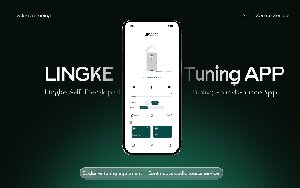
The LINGKE App brings device connectivity,
playback control, sound customization,
and device management together
in one intuitive interface.
Manage your compatible LINGKE audio systems,
fine-tune their sound to match your preferences,
and explore a variety of audio content—
all from your smartphone.
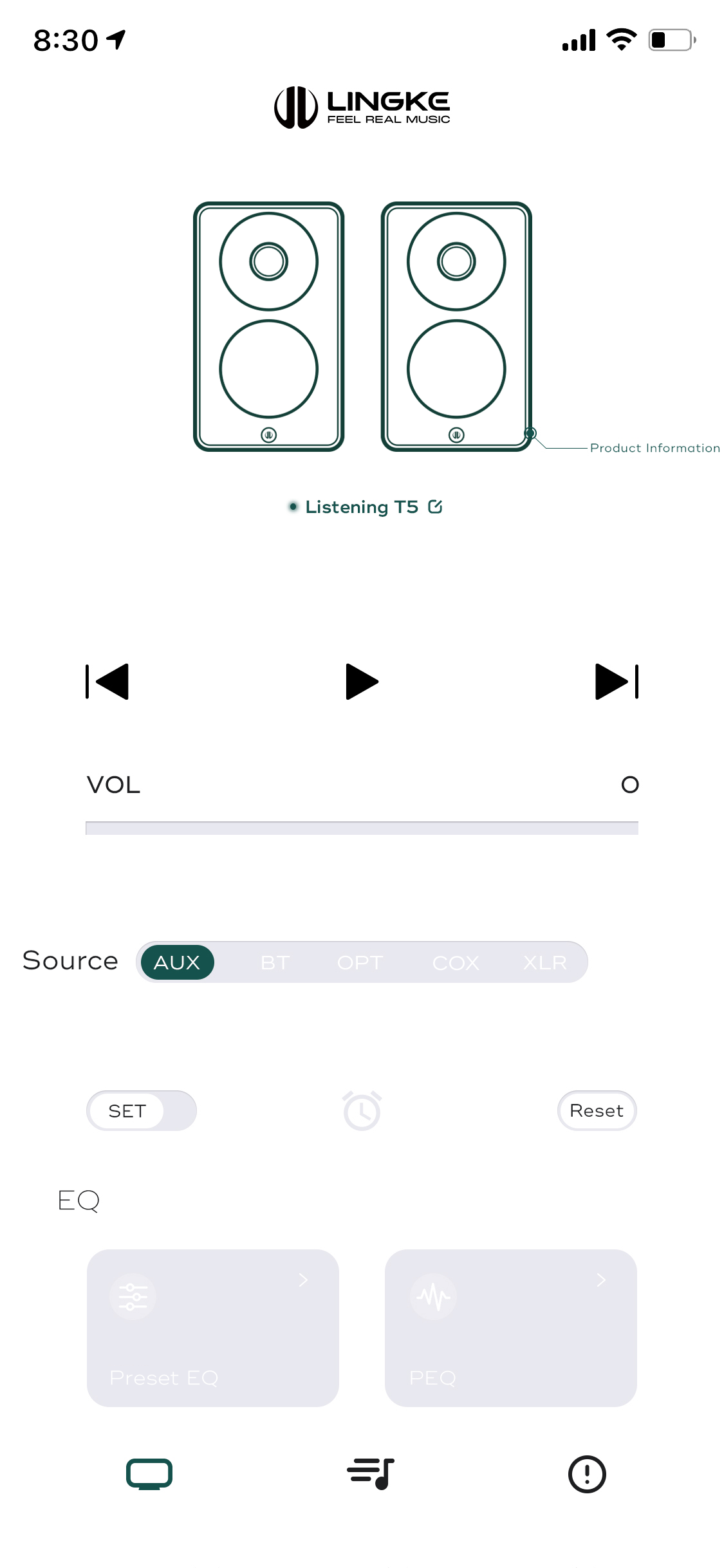
01 Easy Connectivity & Intuitive Control
Connect your LINGKE audio system via Bluetooth
and control it directly from the app.
Adjust the volume, play or pause music,
navigate between tracks, and select input sources—
all from a single interface.
You can also customize device names
to easily identify and manage connected devices.
Once connected via Bluetooth,
the app's device controls work without
an internet connection.
02 Personalized Sound Customization
Fine-tune your listening experience
with a range of built-in audio adjustment tools.
The LINGKE App gives you greater control
over the way your system sounds.
High-Pass Filter
Select from multiple cutoff frequencies
to tailor the system's low-frequency response
to your listening preferences.
3-Band Equalizer (EQ)
Independently adjust bass, midrange, and treble,
with a control range of ±3 dB for each band.
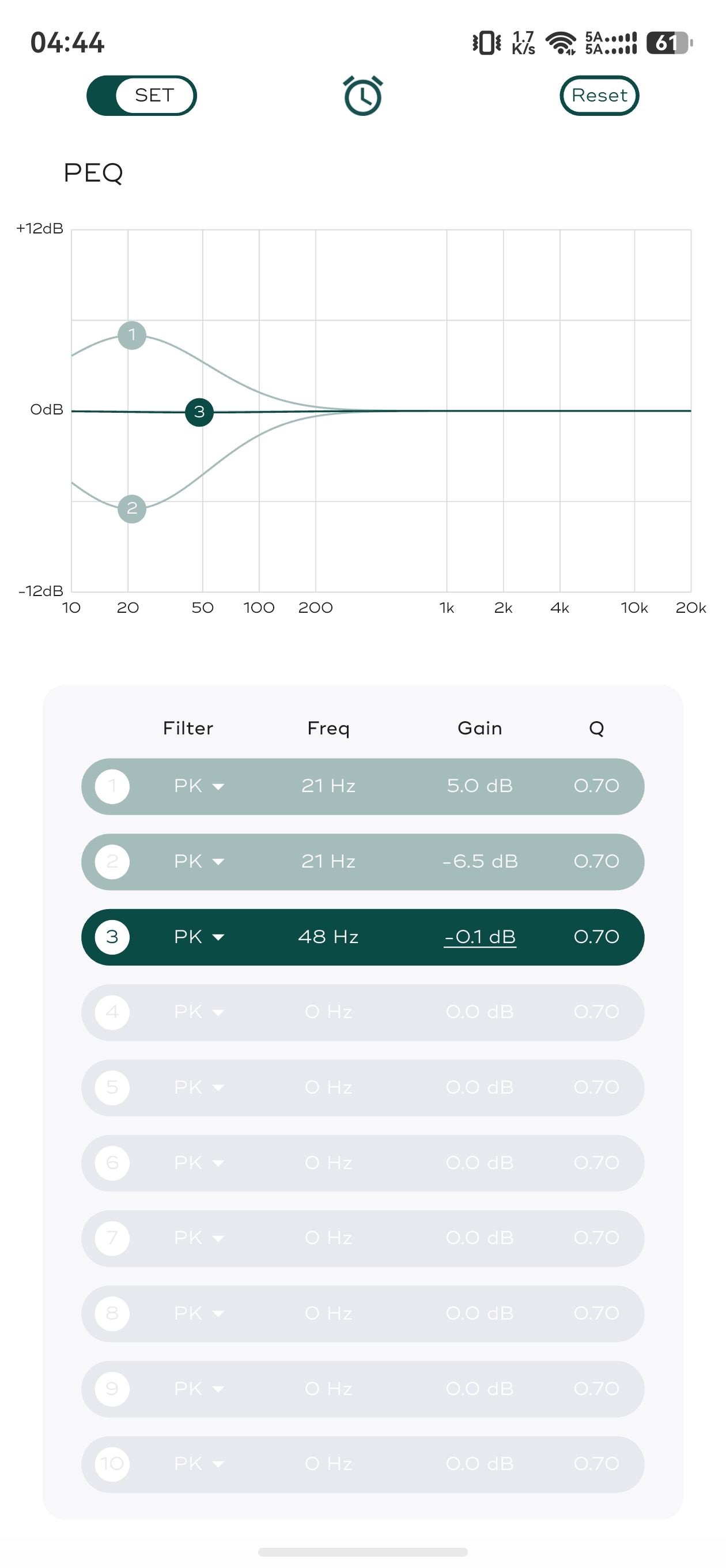
10-Band Parametric Equalizer (PEQ)
Fine-tune individual frequency bands
by adjusting center frequency, gain, and Q factor.
A real-time frequency response curve
provides a visual representation of your adjustments.
Selected compatible models also support Room Mode,
which offers acoustic compensation presets
to suit different listening spaces.
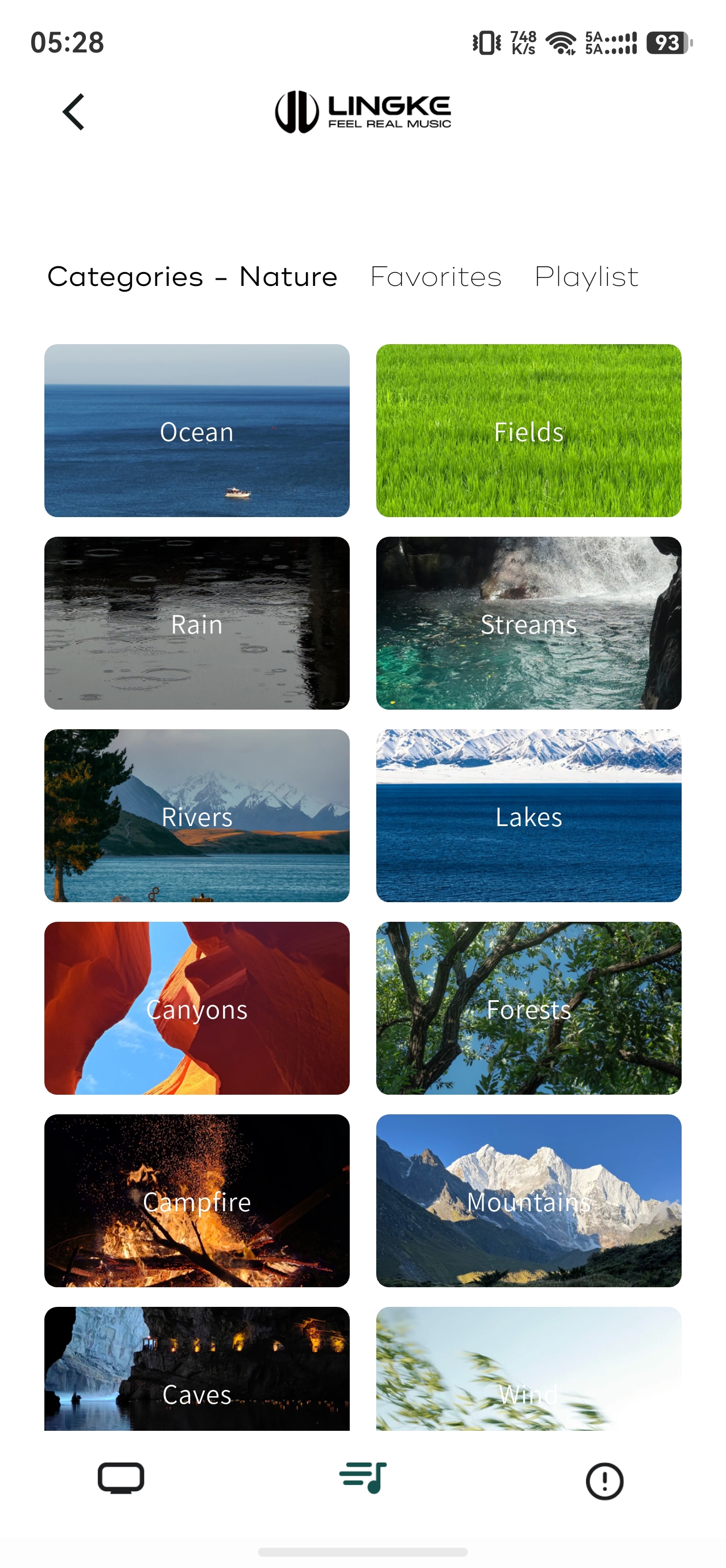
03 Explore the Sound Library
Discover a collection of audio content
spanning nature sounds, everyday environments,
and ambient audio, designed for
different listening scenarios.
Browse and save your favorites,
create personalized playlists,
and choose from different playback modes,
including in-order playback, repeat-one, and shuffle.
A built-in timer lets you schedule white-noise playback,
making it convenient for relaxation and rest.
Eight locally stored audio tracks
are also available for offline playback.
04 Device & App Management
Access essential device information,
check firmware versions, and follow in-app instructions
to update your device firmware
when updates are available.
The app also lets you check for app updates,
switch interface languages, and access the privacy policy,
keeping essential settings and device management
within easy reach.
05 Download the LINGKE App
The LINGKE App is available for both iOS and Android.
Download it through the official app stores
and enjoy convenient device control
and a more personalized listening experience.
For product information or technical support,
visit the official LINGKE website
or get in touch with our support team
through the app.
Download the App
iOS: Download on the App Store
Android: Google Play
Note: Available features may vary depending on the connected device model
and the options shown in the app.


